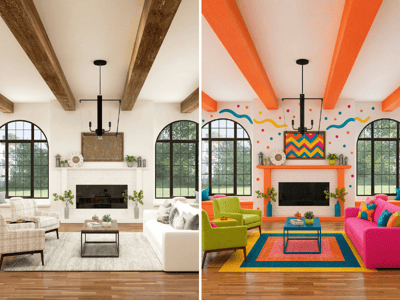
Furniture Design
Use the AI furniture design generator to create photorealistic concepts for any sofa, chair, bed frame, or cabinet — before you buy or build.
Design Any Furniture Piece with an AI Furniture Design Generator
Most people ordering custom furniture have the dimensions and a style in mind — but no way to see the actual result until it shows up at the door. The Furniture Design tool is an AI furniture visualizer that generates photorealistic images of any piece from your specs.
What You Can Do with It

See a Custom Sofa Before You Commit
Generate a realistic image of your sofa — specific dimensions, material, and leg finish — before the order goes in. Then visualize it in your room to see how it fits.
Get the Dimensions Right Before You Order
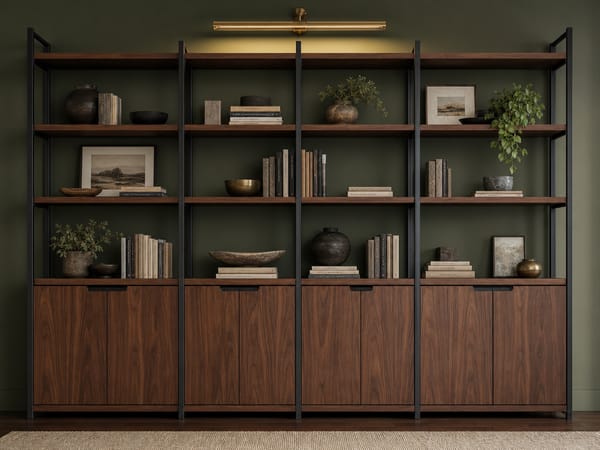
Wardrobes, bookshelves, and cabinets need to fit specific spaces. Generate a concept and see whether the proportions actually work before you order.
Show the Carpenter Exactly What You Want
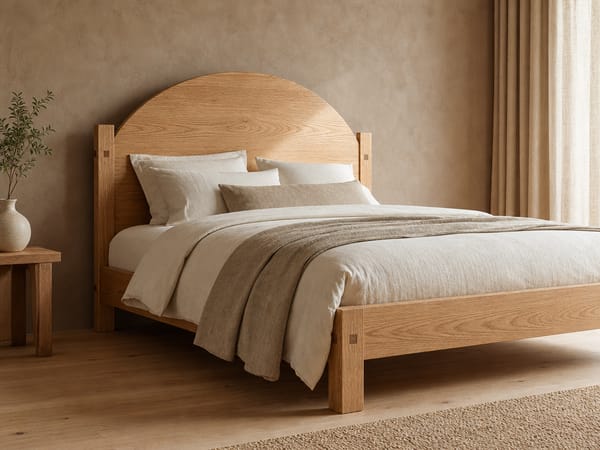
Describing a piece in words leaves too much open to interpretation — no more "that's not what I meant" moments once it's already built. Generate the concept image first, then hand it over.
How to Use It
1. Select a furniture type. Start with the Furniture Type dropdown. If your piece doesn't fit a category, choose Custom and describe it in the Size & Details field.
2. Choose a design style. The style picker shows each style as a rendered furniture preview. Browse by category or search by name. If none fit, choose Custom.
3. Set material and primary color. These two fields do a lot of work. Linen fabric + Warm beige reads very differently from Leather + Charcoal black. If your material isn't in the list — say, velvet or boucle — type it in the Custom field.
4. Write a specific description. Don't write "large sofa." Write: "87 inches wide, 3 seats, low back, no armrests, tapered walnut legs." Not sure of the exact terms? Just describe what you see: "legs that are thin and angled outward, backrest not too tall" works fine.
5. Choose Fast or Pro. Fast is good for early-stage exploration. Pro produces higher detail — worth it when you're finalizing a design to share with a carpenter or client.
What Makes It Different
Generates Furniture, Not Room Scenes
Most home design AI tools take a room photo and modify it. This tool starts from nothing — you specify a piece and it renders it as a standalone concept.
Covers Every Major Style
Fifteen named style presets plus Custom. Each style is previewed as a rendered furniture piece — so you're comparing actual silhouettes and finishes, not abstract labels.
Material and Color Combinations Are Rendered Accurately
The tool generates the piece with the specified material — Rattan looks like rattan, Linen fabric has visible texture.
Take It Further with Style Transfer
Once you have a concept you like, apply a design style to your room — or place it in a room photo.