Lighting Changer
Use our AI lighting changer for room photos to try any lighting styles in seconds. No editing skills needed. Upload your photo and see the difference.
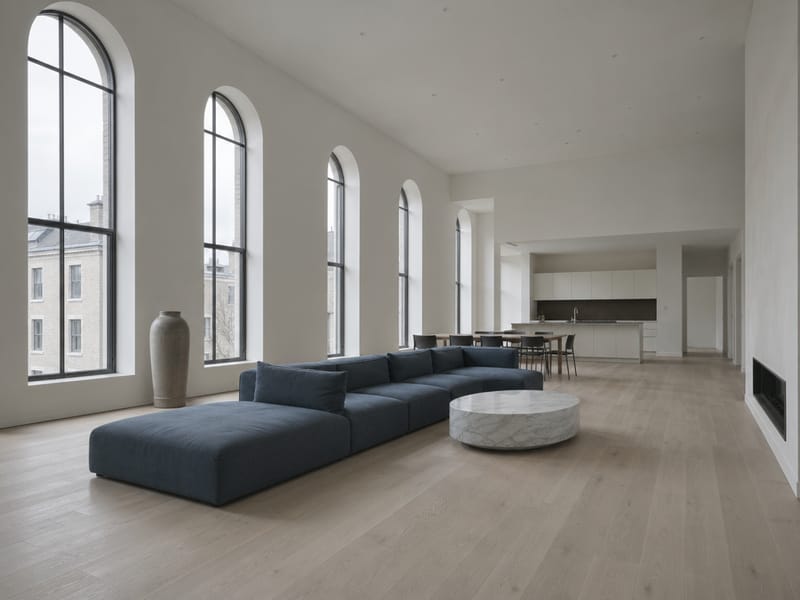
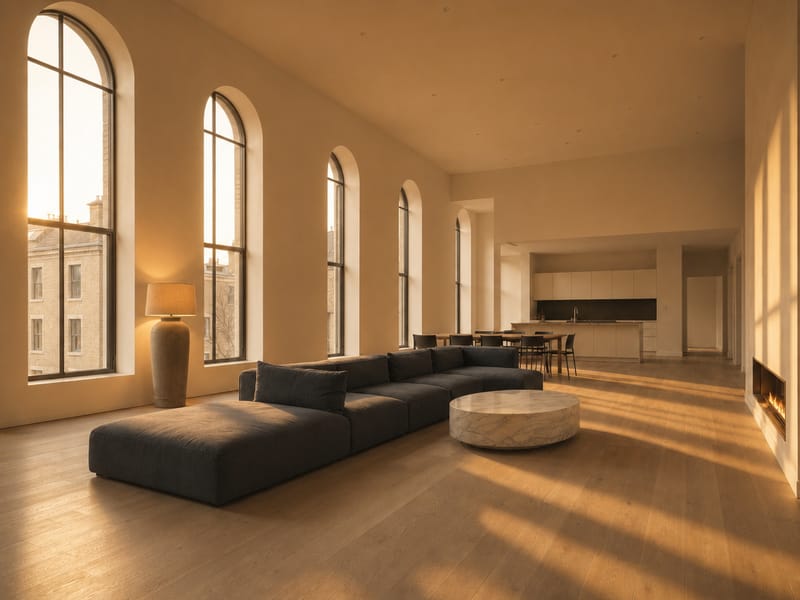
Change Room Lighting in Any Photo with AI — See Results Before You Renovate
Lighting makes or breaks a room — but testing a new fixture or mood means living with it first. This AI lighting changer for room photos lets you see what your space looks like under Golden Hour warmth, cool office light, soft wall sconces, or 8 other styles before you change a single bulb. Upload one photo, pick a style, get a realistic result in seconds.
What You Can Do With It
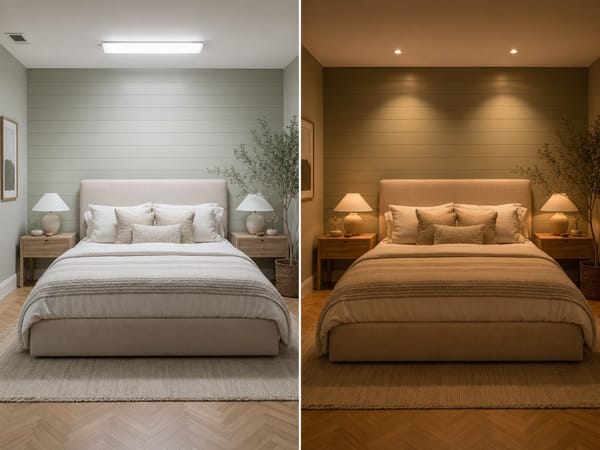
See a Room's Full Potential Before You Buy Anything
You're choosing between a warm pendant and a cool LED ceiling strip. Both look different in the store than in your actual room. Upload a photo of your space and run it through both lighting styles to see which one works with your floors, walls, and furniture.
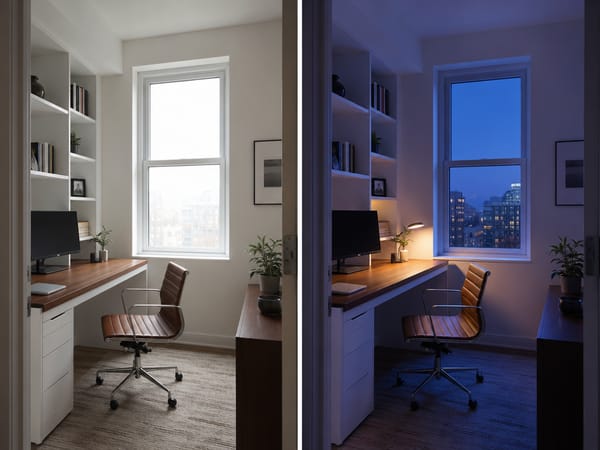
Present Multiple Lighting Moods to a Client
Interior designers often need to show how a room shifts from daytime functionality to evening atmosphere. Instead of rendering each option from scratch, run the same home office photo through Morning Light, Blue Hour, and Warm Downlight in a few minutes. Side-by-side comparisons using the client's actual room land faster than any mood board.
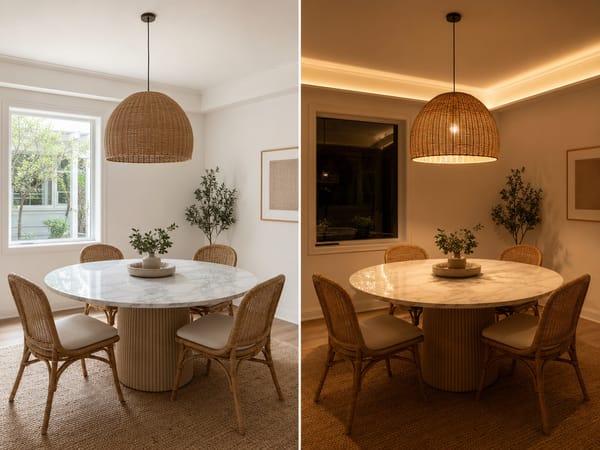
Relight a Flat Listing Photo Without Rebooking a Photographer
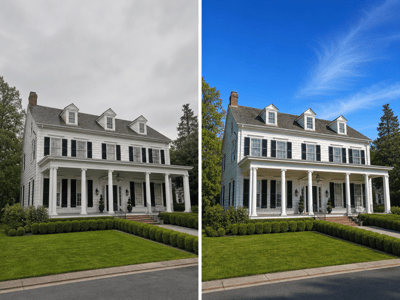
A listing photo taken on an overcast afternoon can look flat, even if the room is well-designed. Switch to Golden Hour for living rooms or soft Pendant Light for kitchens. For a full room refresh, pair it with Auto Edit Tool.
How It Works
Upload a clear room photo. Works best with photos taken straight-on or from a corner angle, where walls and surfaces are clearly visible.
Choose Fast or Pro model. Fast gives you a preview quickly. Pro produces higher-fidelity results with more realistic shadow and reflection detail — worth it when the output is going to a client or a listing.
Pick a lighting style. Eleven presets cover the full range from natural light (Morning Light, Daylight, Golden Hour, Blue Hour) to artificial sources (Warm Downlight, Cool Office, LED Strip, Wall Sconce, Pendant Light, Table Lamp, Floor Lamp). If none of these fits, use Custom.
For Custom style: be specific about the source, not just the mood. "Warm, cozy" is too vague. Write something like: "soft amber light from a low floor lamp in the far right corner, warm shadows on the ceiling." The more you describe the light source and its position, the better the result.
What Makes It Different
11 Purpose-Built Lighting Presets for Interior Spaces
Most photo editors let you adjust brightness and contrast. This tool models how specific light sources — a wall sconce, an LED strip, a pendant — actually interact with walls, floors, and furniture. Each preset is built around a real lighting scenario, not a generic filter.
AI Lighting Changer That Reads the Room's Geometry
The AI identifies surfaces, materials, and depth in the photo before applying any light. That's why a lamp preset casts shadows in the right direction and a window preset shows light falling across the floor at a plausible angle — not just a color tint laid over the image.
Two Output Quality Levels
Fast mode works for quick exploration. Pro mode is for final deliverables — it handles reflective surfaces, soft shadows, and subtle color temperature shifts more accurately.